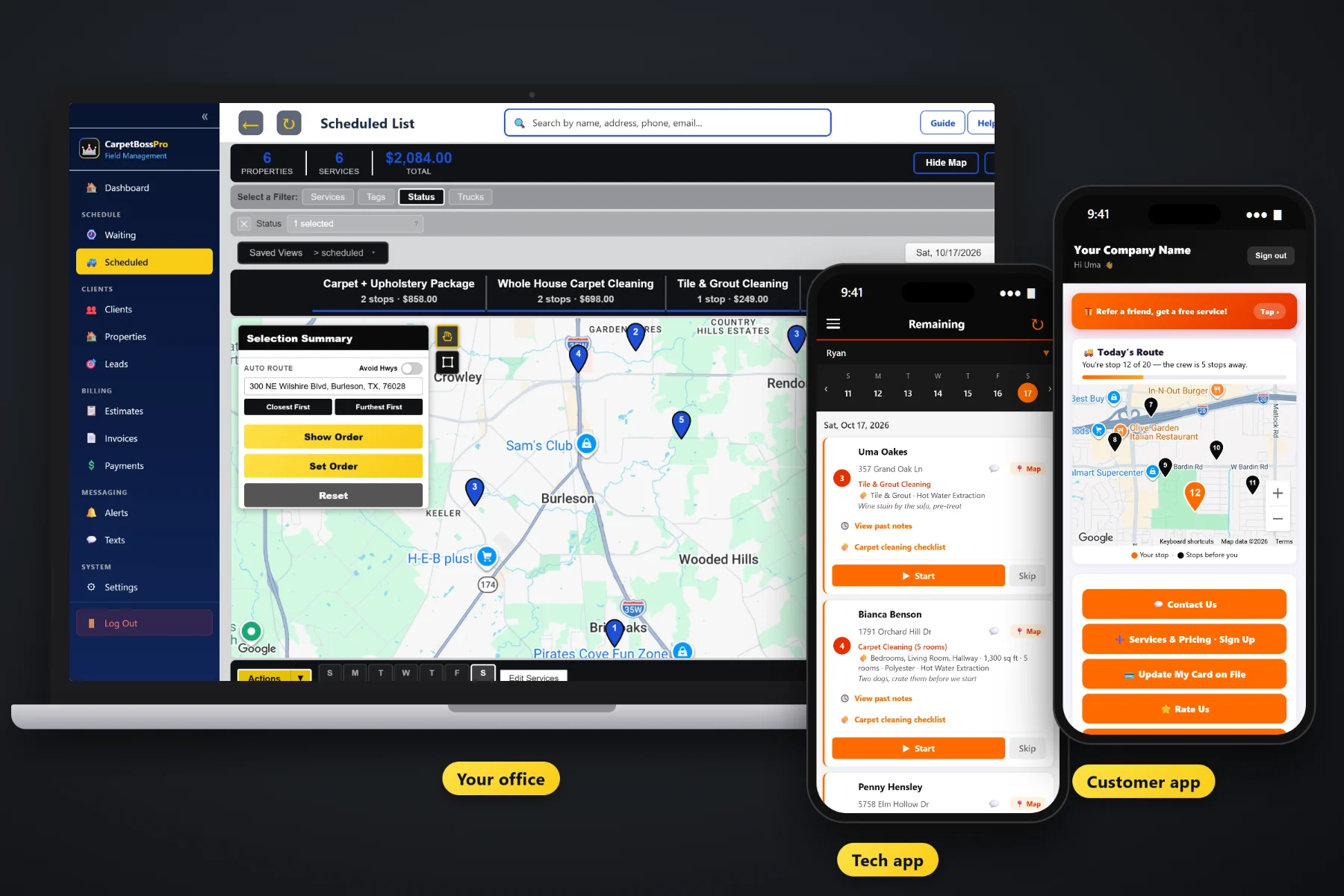
Commercial carpet work is a different kind of day. Office suites cleaned every month after the staff goes home, apartment units turned for the leasing office between tenants, a property manager with forty addresses who wants one bill. CarpetBossPro keeps every one of those addresses under one client, brings recurring visits due by minimum days, puts access notes and the carpet checklist on the tech's phone, saves before-and-after photos as proof, and sends one monthly statement with every line labeled by address.
Plans start at $59/month, and commercial accounts are part of every plan. Many addresses per client, recurring visits, after-hours routes, checklists, photos and monthly statements come with the platform, not as an add-on. For the whole picture of residential pricing, estimates, upholstery and the tech app, start at CarpetBossPro and then dig into the commercial side here.
The property manager is the client. Every building, suite and unit is an address under that client, each with its own details and history.
Monthly office maintenance or a lobby every two weeks comes due on its own and shows up on the Waiting List map.
Put one van on commercial work at night, in route order, with the access notes for each building on the job card.
Before-and-after photos stay with the job, so the manager can see the work they never saw happen.
Pre-vacuumed, traffic lanes pre-treated, carpet cleaned and groomed, condition noted. The office sees the finished checklist.
Set the account to Monthly and every address lands on one statement, each line labeled with the address it belongs to.
Commercial jobs fail on details nobody wrote down: which door the night crew uses, who has the key, whether it is the full suite or just the entry and hallway, and which method the account is on. CarpetBossPro keeps those details on the address and puts them on the tech's phone. A new visit fills in from the last one, so the office never re-types a building.
A property manager hands you a spreadsheet of buildings. You should not spend a week typing it in. CarpetBossPro takes a CSV import, places every address on the map, and lets you set the recurring schedule and billing once for the whole account.
Create the property manager or office as one client, then bring in their property list by CSV. Imported addresses land on the map automatically.
Give each address its minimum days between visits, its square feet and method, and set the account to Monthly for one statement.
Each address shows on the Waiting List map when it is due. Leasing office move-out requests land there too.
The night tech follows the route, works the checklist, takes before-and-after photos and taps Complete. The office sees it all.
Generic field-service software treats every job like a house with one owner. A commercial carpet account is one client with many addresses, visits that repeat, work done while nobody is watching and a manager who wants proof and one bill.
Ask any carpet cleaner who has landed a property manager how the first few months went. A spreadsheet of units that never matched the invoices. A leasing office that emailed a move-out request nobody saw until the new tenant was moving in. A monthly office visit that slipped to six weeks because nobody had it written down anywhere but the owner's head. A manager asking whether the second-floor hallway was actually done last Tuesday night.
Every one of those problems is a missing record. When each address has its own details, its own visit schedule and its own photos and checklist, the account runs the same whether the owner is on the van or not.
CarpetBossPro keeps the client, every address, every visit and every invoice line in one place, from the first walk-through to the monthly statement.
Every tool here exists to keep offices, apartment complexes, property managers, realtors, churches, schools and stores on schedule, documented and billed correctly.
One property manager, every building and unit under them, each address with its own details and history.
Bring in a property list from a spreadsheet. Imported addresses are placed on the map automatically.
Set minimum days between visits per address: monthly office maintenance, quarterly common areas, yearly units.
Every address that came due, colored not due yet, due now or overdue past a 7-day grace, plus new requests.
Hot Water Extraction, Low-Moisture, Encapsulation or Dry Compound recorded on each job and carried forward.
Measurements on the address, so services can be priced by square foot or by room on every estimate.
Entrance, parking, where to run the hose and who to call, on the job card behind each tech's PIN.
The tech works the checklist on every job and the office sees it finished, with condition and dry time noted.
Saved with the job and visible to the client in the customer app.
Filter the board by van, auto-route Closest First or Furthest First, and print route sheets for the night crew.
One statement per month for the whole account, every line labeled with its address.
Charge on completion for small accounts, or bill monthly for the big ones. Past-due follow-up included.
Text the property manager or leasing office from the office, with replies kept with the client.
Tag accounts as office, apartment, church or school, and add the fields your contracts need.
Know where the night van is and when the tech clocked in, without a phone call.
Start $59, Pro $89 and Crew $199 per month, with commercial accounts on every plan.
Most carpet companies that take on commercial work do not stop doing houses. CarpetBossPro keeps both on one dispatch board. Residential cleanings and commercial maintenance come due on the same Waiting List, and the office assigns each job to a van and a day. A typical setup is one van on homes during the day and one on commercial after hours, each with its own route order and printed route sheet. For the full walkthrough, read Commercial Carpet Cleaning Software: The Complete Guide for Office, Apartment and Property Manager Accounts.
Property managers and office managers rarely watch the cleaning. What they see is the statement. CarpetBossPro gives them more than a number: before-and-after photos in the customer app, a finished checklist on every job, a condition rating and a note for anything that needs attention. They can request service, see invoices and pay online, and the office can text them directly when a unit is ready or a stain did not come out.
Pick the plan that fits your operation. Every plan starts with a 14-day free trial and no credit card.
Compare plans on the pricing page.
Yes. A property manager, office building owner or leasing office is one client, and every building, suite or unit is an address under that client. Each address keeps its own square feet, carpet type, method, access notes and job history.
Set the client to Monthly billing. Instead of an invoice per visit, they get one statement each month covering every address that was cleaned, with each line labeled by address so their accounting can split it by property.
Each address gets a minimum number of days between visits, such as 30 days for monthly office maintenance. When an address comes due it shows on the Waiting List map, and the office puts it on a van and a day. Overdue addresses stand out after a 7-day grace.
Yes. Use CSV import to bring in a property list from a spreadsheet. The imported addresses are placed on the map automatically, ready for the Waiting List and dispatch board.
The tech works the carpet checklist on the phone, takes before-and-after photos and taps Complete. The office sees the finished checklist and photos on the job, and the client can see the before-and-after photos in the customer app.
Yes. Both come due on the same Waiting List and go on the same dispatch board. Many companies put one van on homes during the day and one on commercial after hours, filtered by van.
Start is $59/month, Pro is $89/month, and Crew is $199/month. Commercial accounts work on every plan, and every plan starts with a 14-day free trial with no credit card.
Commercial accounts are one piece of how CarpetBossPro runs a carpet cleaning company. For residential pricing, estimates, upholstery, the tech app and billing, see the full CarpetBossPro platform overview.
Practical reading on office maintenance, after-hours work, apartment move-outs, property managers, realtors, churches, schools and stores, monthly statements, recurring visits, photos, checklists and keeping commercial accounts.
Recurring office maintenance, apartment move-outs, after-hours routes, checklists and photos as proof, and one monthly statement by address. Try CarpetBossPro free for 14 days.